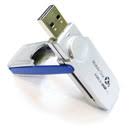
SOME CHARACTERISTICS OF A FLASHDISK


Some things you may need to know about the flash

• USB Flash Disk can be active only if there is electric current that can be obtained through the USB port.

• Some require Flash Disk flow or power greater than any other, so that sometimes must to connect direct port in the motherboard (without a cable connection and not in front of the port) that can be detected.

• Flash Disk can not be legible if the cable that is used too long, because usually less current

• Flash Disk own age / life, such as 100,000 read / write endurance, or up to 10 years.

• read access speed is faster than writing in the flash. For example, to read 16 MB / s while the write 4 MB / s (and the other one is different)

• The system is commonly used FAT or FAT32, because it can be accessed almost anywhere supporting the USB port. Although formatted according to the type of operating system, such as NTFS.

• Defragment files in the flash is not needed and does not affect speed of access to, because using the flash type of Random Access Memory.


Securing data on HOW?

The only way it seems with the encryption of data in the flash disk. Although at this time when buying a flash disk software is included that can lock (lock), but still can be opened that is not computer software. USB Flash disk is not damaged even though the likelihood of infected water or even submerged, the dried before use at first.


TIPS USING Flashdisk to be more durable:

• Do not save files that are very much into the flash, if possible in the better zip. Because the more saving the file to write the flash process will also be more, so I also quickly reduced.

• If it is not so important, avoid editing directly from the flash. Alternatively copy the data in the computer, and then edit again after the new copy to Flashdisk.

• If not used / used, Flashdisk separated from the computer.

• always try to remove the Flashdisk from the computer through the "Safety Remove Hardware" and avoid the direct release sedah in the process of reading / writing, because it could be damaged by the flow of electricity.
READ MORE - SOME CHARACTERISTICS OF A FLASHDISK

Lost some image data on media storage chips


While this a storage chip has been used, such as flash disk or a memory card. Even some digital devices like digital cameras, or mobile phone has been used it. What do you do if some images that are stored in the memory card erased earlier, either deliberately or accidentally, of course, you can not repeat the moment again.

Now dont panic, because the data can be resurrected again with a Flash File Recovery application. This application is simple and quite effective in a file - the image file stored in a memory card, and also to run it an easy.It have the ability to generate the image file is erased in the flash memory card or disk, but it was also able to generate the image file on the hard disk.

You can download this application in http://www.panterasoft.com , and follow a few steps below to run it.

1. When first run Flash File Recovery, will go directly on the Select Source tab. In this section you can specify a location that will drive the recovery, and press the Refresh button drive.

When the computer is not available on the card reader, you can drive directly to the camera to the PC, the PC will recognize akan storage media that are on the camera and is recognized as a removable disk. This also applies to mobile phones that have expansion slots. For flash disks, you live mencolokannya to the USB connection.

Once detected, you decide to stay this drive only.

2. Next, click the tab. Rescue files, press the Start Scan. Wait some time until the scan is complete. The time needed to scan depending on the size of the capacity flash disk itself.

3. After the scan is complete, click the tab. Lost files prefiews. There you can see the image files are erased on the memory card. Mark image - an image that you want to retrieve.

4. Then click the Destination tab. Here you can view the location of the file before the restore. Click the browse button to specify the desired location.

5. The last step is to Restoring. Restoring Click the tab. press the Start recovery, wait some time until the process is complete.
READ MORE - Lost some image data on media storage chips